Using Search Feature
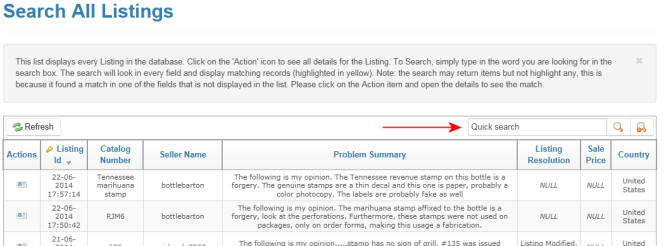
1. Quick search allows you to search for a key word(s) across all
displayed columns.
Your search word(s) could be in the Problem Description, Seller Name, etc.
Your search word(s) could be in the Problem Description, Seller Name, etc.
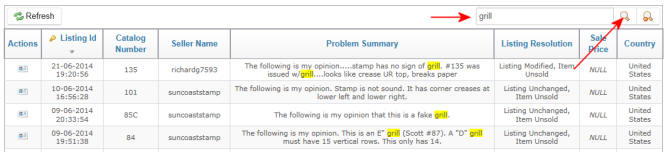
2.To the right we have entered the word "grill". After entering the
search word you must click on the
Search icon to begin the search process.
Tip: You can also use the Enter key to begin search.
Search icon to begin the search process.
Tip: You can also use the Enter key to begin search.
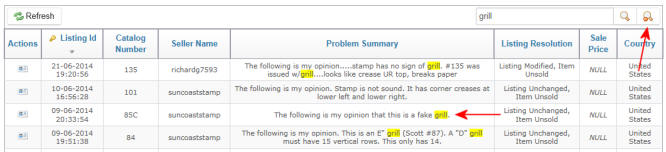
3. The search word will be highlighted in yellow.
To clear your search results and click on Clear Search icon as shown at upper right.
To clear your search results and click on Clear Search icon as shown at upper right.