Printing
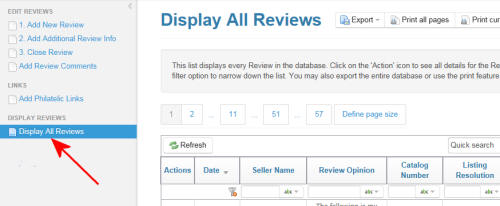
1. Start by navigating to the 'Display All Reviews' page in the Members
section as shown at right.
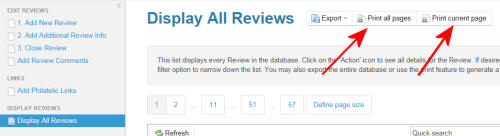
2. Select either 'Print All Pages' or 'Print Current page' to display a
print-friendly page of the Reviews. Then use your browser's print
feature to print out the page.
Note: Some browsers may not print entire page that is shown on screen. To work around this you can use the 'Export' feature. Download the entire database to your computer and print the section you desire.
Note: Some browsers may not print entire page that is shown on screen. To work around this you can use the 'Export' feature. Download the entire database to your computer and print the section you desire.