Defining Page Size
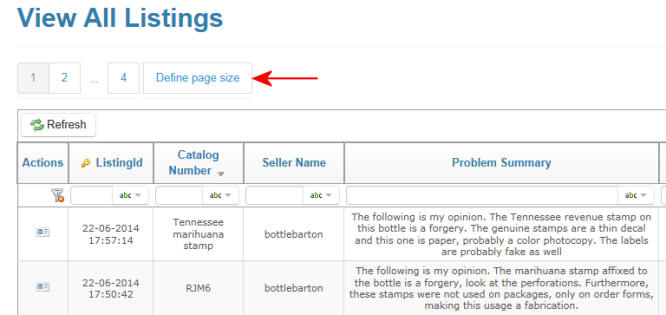
1. All pages will show a list of a maximum of 10 reviews per page by
default.
But you can change this by clicking on the 'Define Page Size" button as shown at right.
But you can change this by clicking on the 'Define Page Size" button as shown at right.
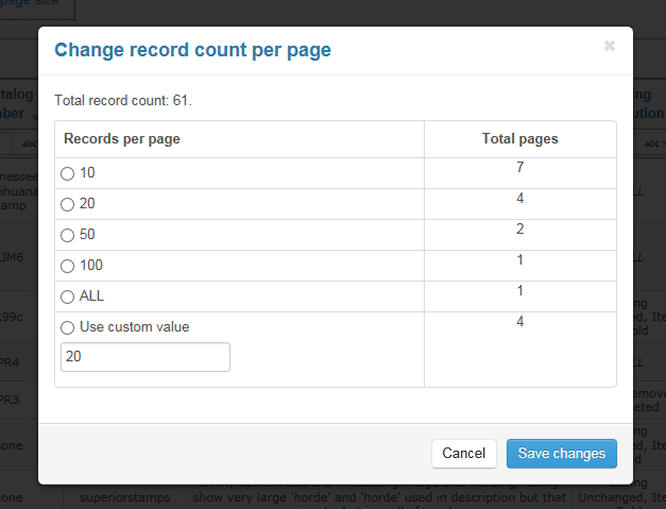
2.A window opens and allows you to set the number of Reviews displayed
on your screen.
You may select one of the existing amounts or set a custom number if desired.
Click on the 'Save Changes' button when done. This setting is persistent for this list and for this browsing session.
You may select one of the existing amounts or set a custom number if desired.
Click on the 'Save Changes' button when done. This setting is persistent for this list and for this browsing session.
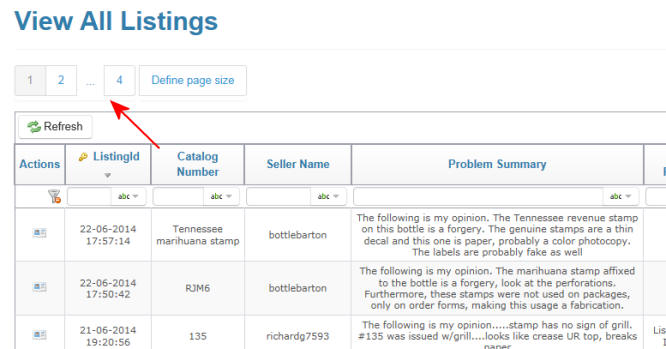
3. You can navigate through all the records by clicking on the numeric
page links as shown at right.